Client ACNC machining
From spreadsheets to machine tracking by shift
15 minutesTime to close shift output (before 4 hours)
- Orders & quotations
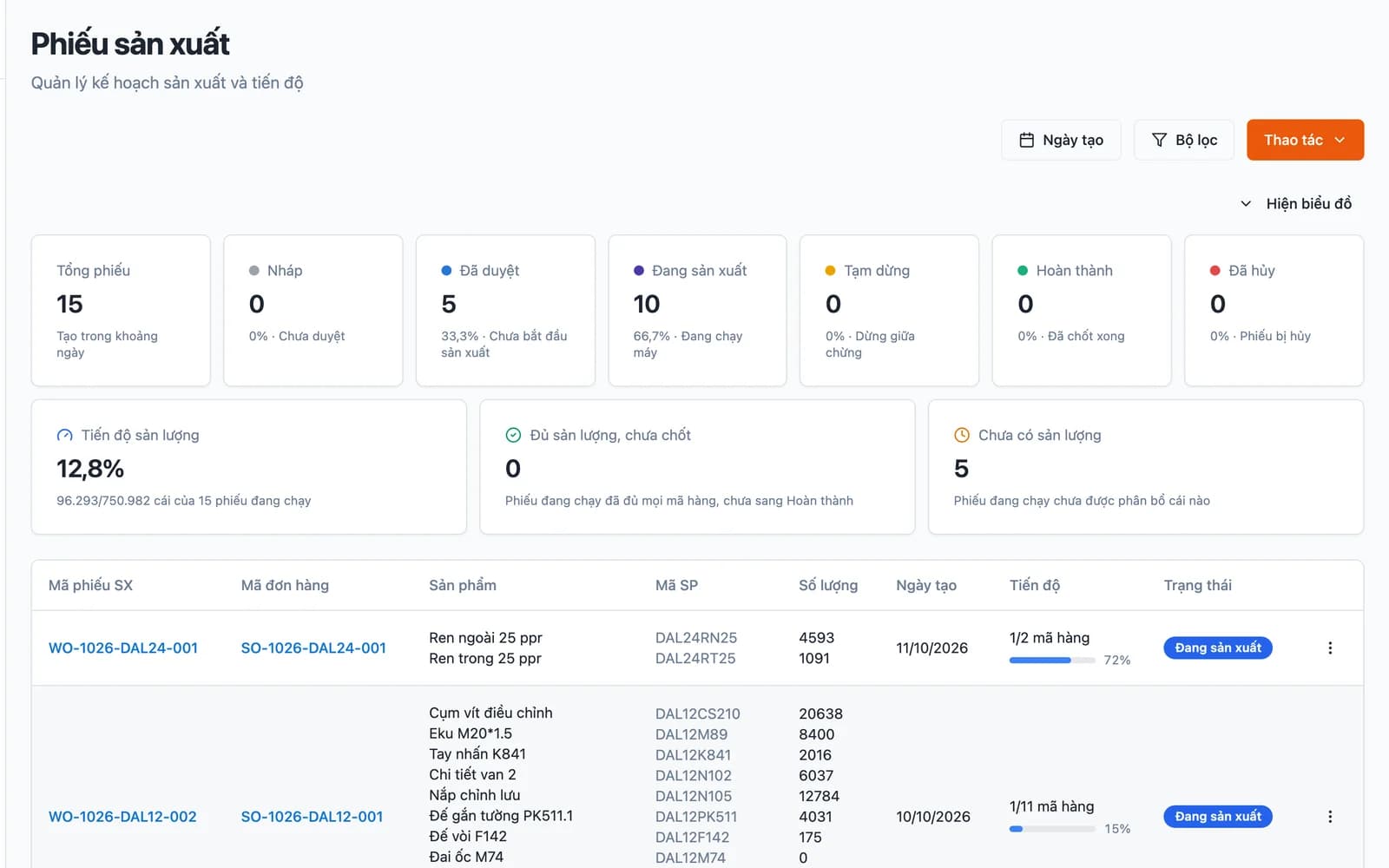
- Production planning & BOM
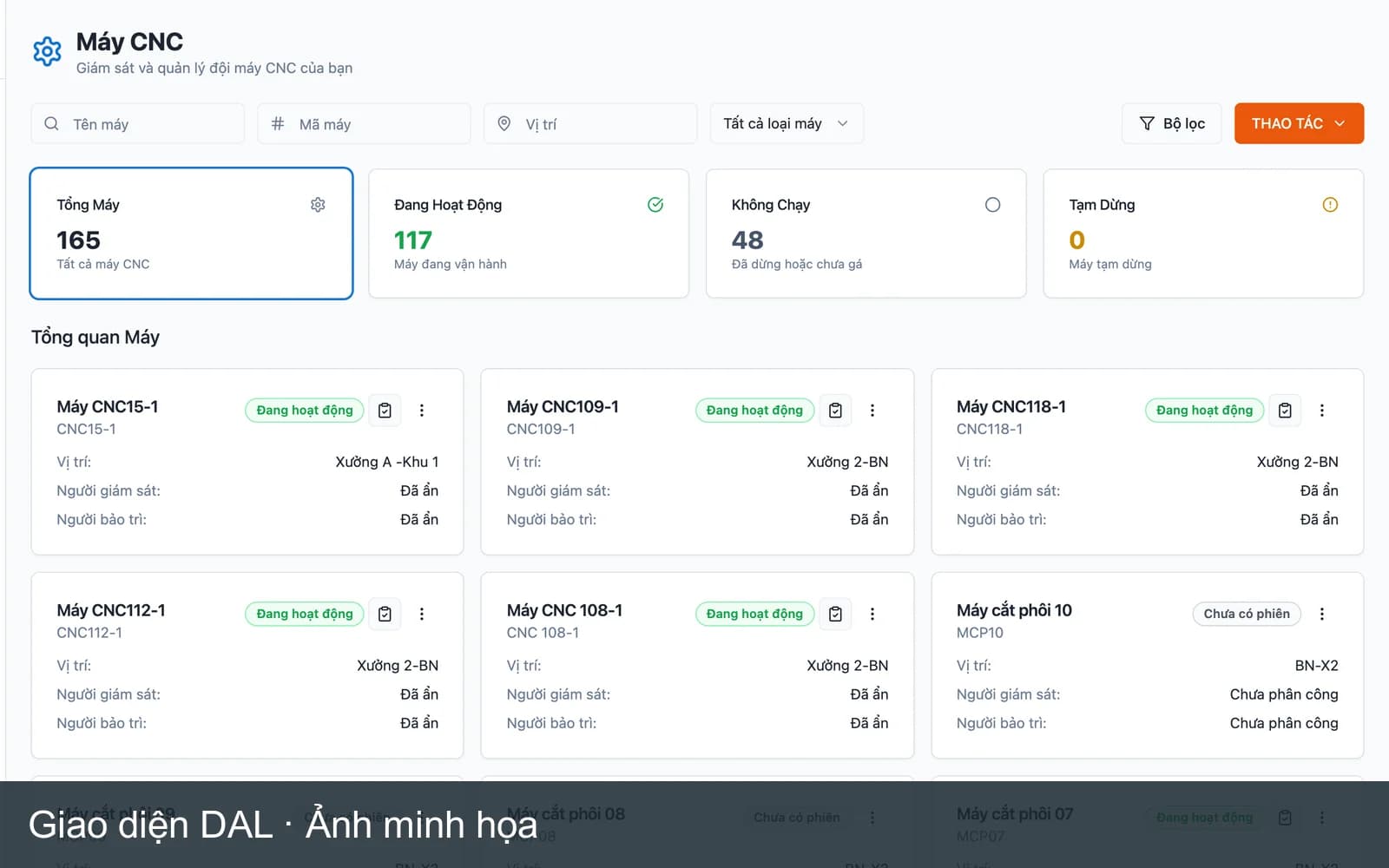
- Machine tracking by shift
- Quality control

We build custom ERP software for each factory: orders, production planning, machines, inventory and quality, all on a single source of truth.
Built for these industries
The problem
Sales, planning and the warehouse each keep a different version of the same order.
Finding out which stage an order is at means calling the floor and waiting for a reply.
Materials are there on paper and gone on the shelf. The production plan slips with them.
Goods come back, and nobody knows which machine, shift or material lot was involved.
The solution
We do not ask the factory to bend its process to fit the software. We build each module around the process you have, then connect them.
From quote request to confirmed order, every change has a history.
Manage quotes, orders, delivery schedules and receivables per customer. Sales can see production progress on an order without calling the floor.
Production orders flow from sales orders, with material norms and routing.
Multi-level bills of materials, routing, and scheduling against machine and labour capacity. When the plan changes, material requirements (MRP) are recalculated.
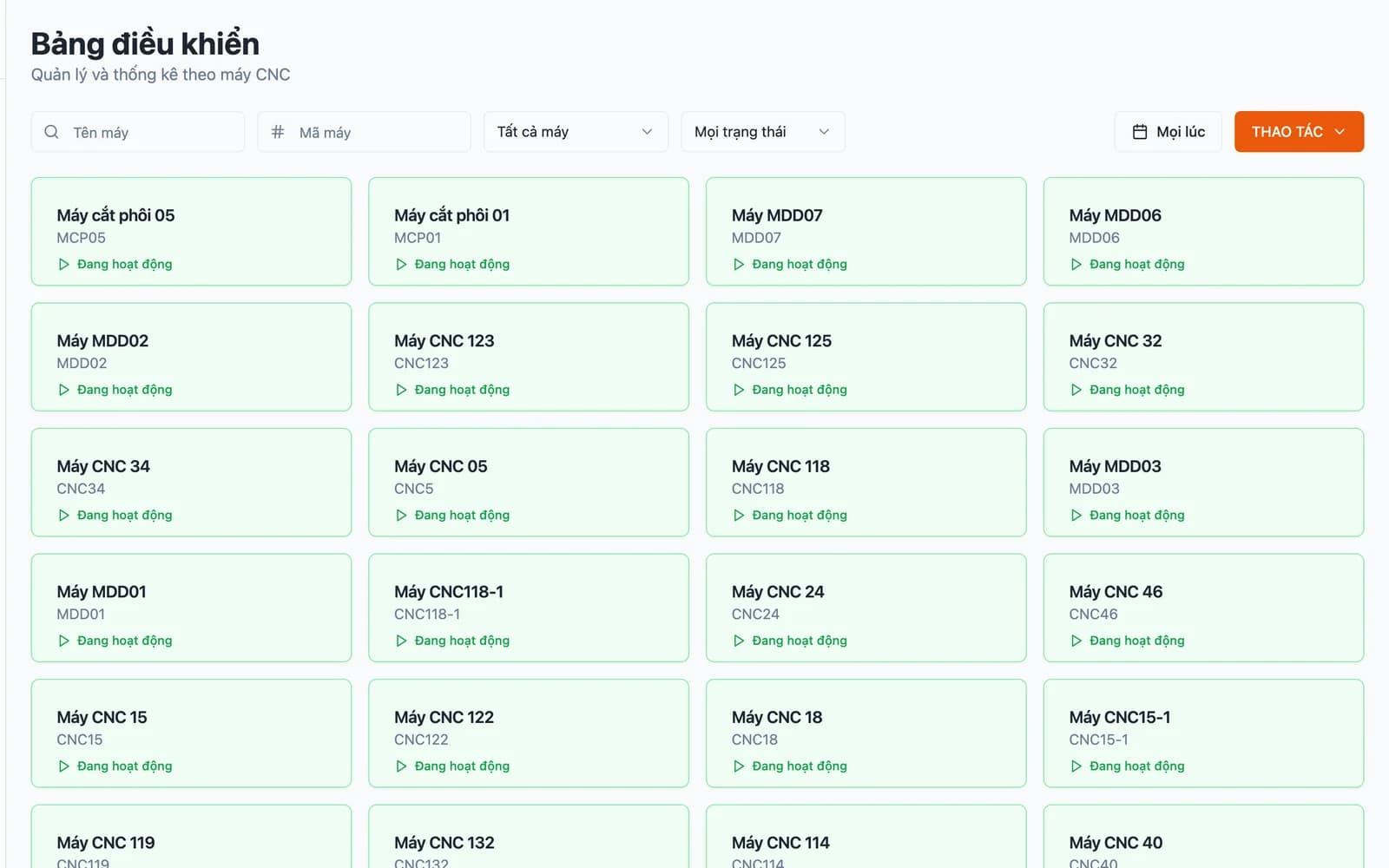
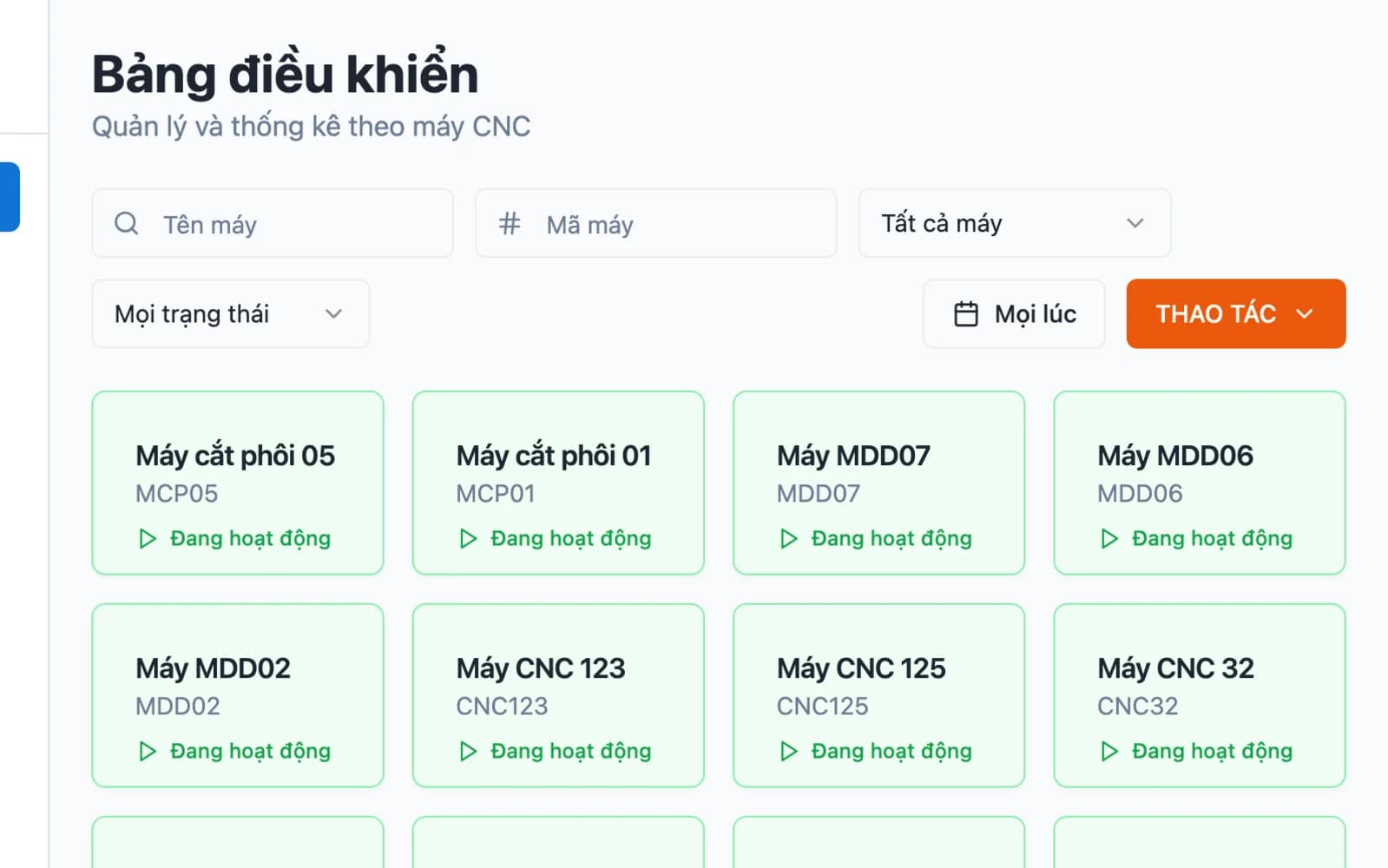
Which machine runs which order, who operates it, and how much it produced.
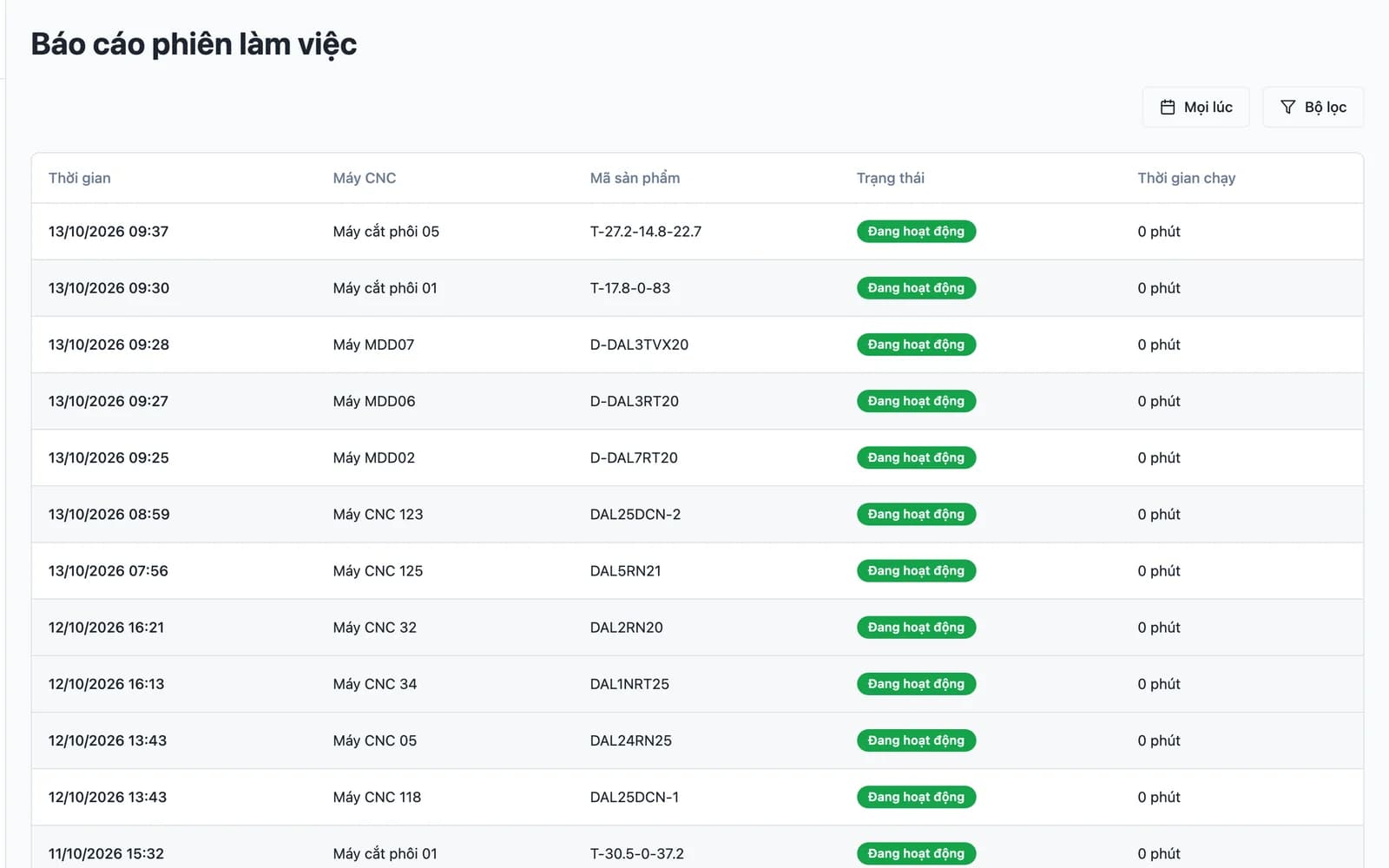
Record machine sessions, downtime and downtime reasons for multi-shift floors. Output is verified at several levels before moving to the next stage.
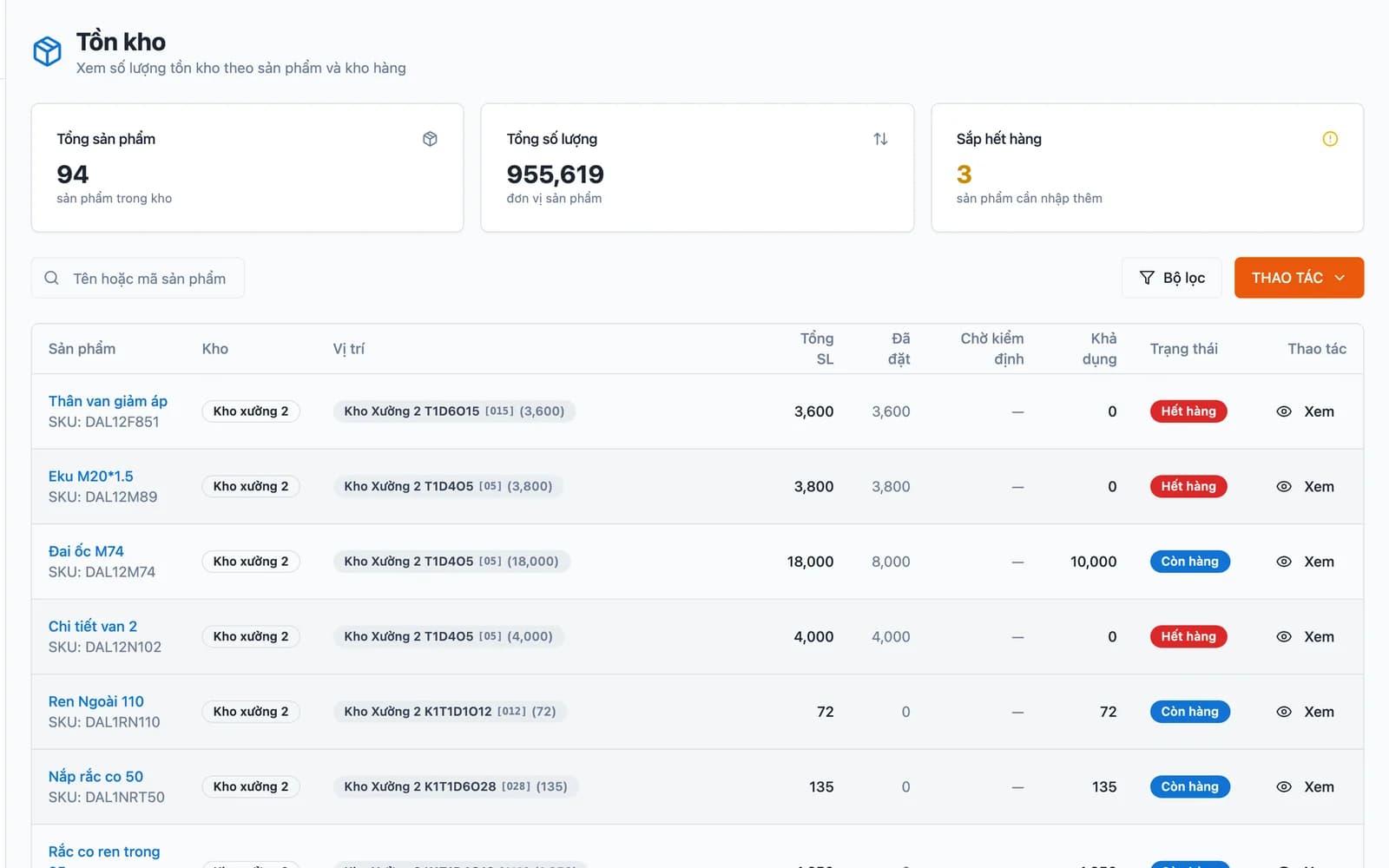
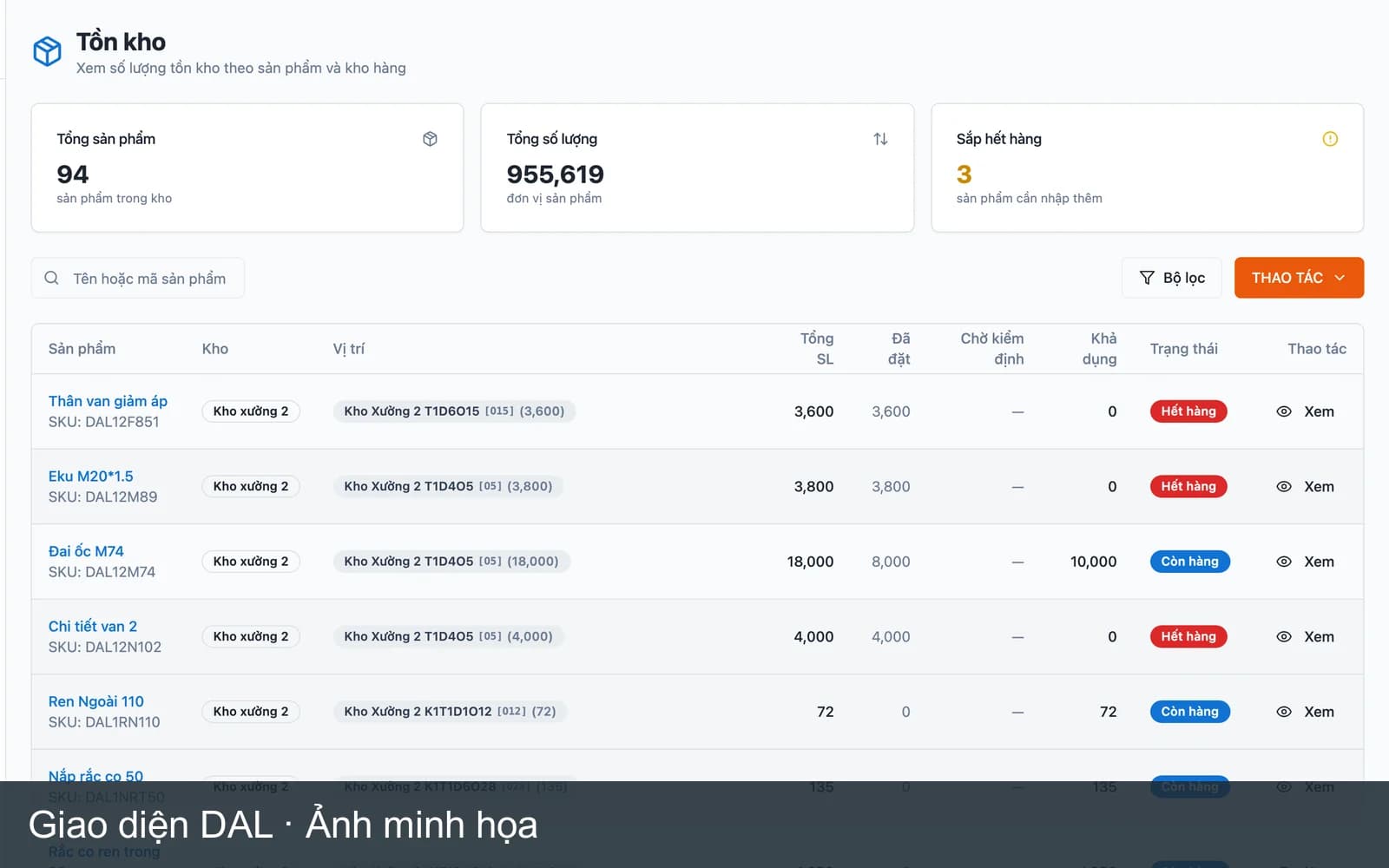
Receipts, issues and stock by lot, with books that match reality.
Manage raw materials, work in progress and finished goods by lot and location. Material issues are tied to production orders, so stock is always explainable.
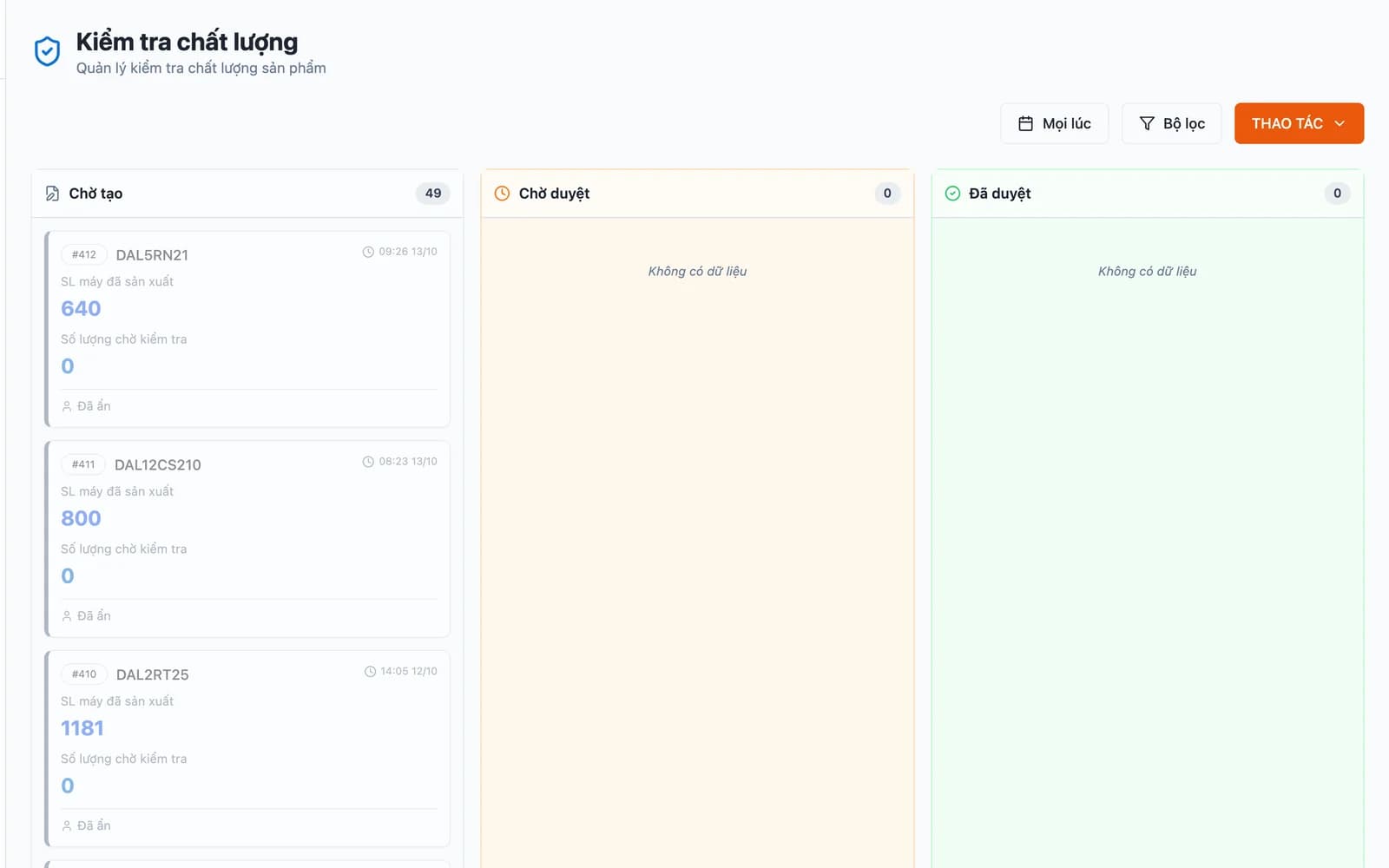
Inspection at each stage, with defects traced to machine, shift and lot.
Incoming, in-process and pre-shipment inspection. Each defect is linked to a machine, operator and material lot so you can find the real cause.
Management sees the whole factory on one screen.
Role-based dashboards for directors, supervisors, planners and warehouse staff. Figures come straight from operations, not manual roll-ups.
Results
Every project fixes its metrics before it starts and measures them again once it is live.
Sample content — replace with real figures before publishing.
Client ACNC machining
15 minutesTime to close shift output (before 4 hours)
Client BPlastic packaging
1.5%Stock variance at count (before 12%)
Process
Every phase ends with something that runs on the floor, not a stack of documents.
We visit the floor and follow one order from intake to delivery, noting where the data breaks.
We agree scope, module order and the metrics to improve. You approve screen mock-ups before any code is written.
We build module by module, put each one into real use as it lands, and refine it with operator feedback.
On-site training, metric tracking, and expansion as the factory adds lines or processes.
Comparison
No option is right for every factory. This table shows what each one trades away.
| Criterion | Spreadsheets and paper | Packaged ERP | In-house IT team | AeroERP |
|---|---|---|---|---|
| Follows the process your floor already runs | Yes | No | Yes | Yes |
| One source of figures for every department | No | Yes | Yes | Yes |
| Usable right away | Yes | Partly | No | Partly |
| Traceability by machine, shift and lot | No | Partly | Yes | Yes |
| No per-user fees | Yes | No | Yes | Yes |
| The factory owns the source code and data | Partly | No | Yes | Yes |
| No need to hire and retain developers | Yes | Yes | No | Yes |
Why AeroERP
We do fewer things than a large software vendor, and we see them through.
Every project starts by following a real order from intake to delivery.
Each module goes live as soon as it is ready, without waiting for the whole system.
We fix the numbers to improve before we start and measure them again once live.
Shop-floor screens work on tablets, with few steps and large type.
Your data sits on infrastructure you control, with no subscription lock-in.
Product
Tap a frame to take a closer look.
Ways to work together
You can stop after any phase and keep everything that phase produced.
For factories unsure where to begin.
Quoted after the visit
1–2 weeks
For factories with a clear scope that want a working system.
Quoted after the visit
8–16 weeks
For factories with a system in place that keep growing.
Quoted after the visit
Ongoing
Industries
It is all manufacturing ERP, but a machine shop, a garment factory and a furniture plant need very different things.
Quoting from drawings, multi-stage production orders, machine tracking across three shifts.
See the solution →02Norms by size and colour, material balancing, output by sewing line.
See the solution →03Multi-level BOMs, timber by dimension, stages from milling to packing.
See the solution →04Resin by lot, blend formulas, production orders by machine and mould.
See the solution →FAQ
It is a management system that brings orders, production planning, bills of materials (BOM), inventory, quality and reporting into one place. Unlike a trading ERP, a manufacturing ERP has to follow production orders, routing stages, machines and shifts.
Packaged software ships with a standard process and the factory adapts to it. Custom ERP is designed around the process the factory already runs; you own the system and the data, in exchange for an upfront discovery and build period.
It depends on scope. We work module by module: discovery and design in the first weeks, then each module goes into real use as soon as it is ready, so the factory does not wait for the whole system before seeing results.
Yes, if figures regularly disagree between sales, planning, the warehouse and the floor. A smaller factory does not need every module from day one; start where the damage is greatest, usually inventory or production order tracking.
Three things: the number of modules, how specific your process is, and how much legacy data has to be migrated. We quote after an on-site visit, module by module, so you can choose what to do first.
The factory does. The system is built for you, the data sits on infrastructure you control, and you are not locked into per-user subscription fees.
Insights
Articles that help factory leadership understand cost, process and options.
Guide · 2 min read
What manufacturing ERP software is, which modules it includes, how it differs from a trading ERP, and where a factory should begin.
Comparison · 2 min read
A comparison of packaged and custom-built ERP for small and mid-sized manufacturers: cost, time, fit, ownership and risk, and when to choose each.